
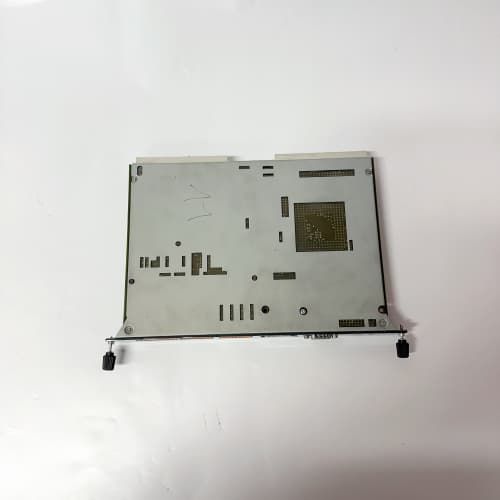
Description
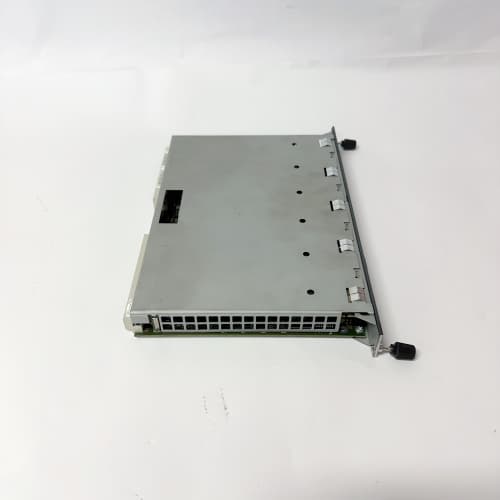
Product Parameters
| Parameter | Specification |
|---|---|
| Brand | KEBA |
| Model | FB201 |
| Module Type | Industrial control module |
| Function | Interface and signal handling within KEBA control systems |
| Compatibility | KEBA control platform specific (confirm with KEBA documentation) |
| Mounting | Control cabinet / machine enclosure installation |
| Operating Environment | Industrial machine control conditions |
| Certification | Per KEBA / industrial EMC compliance |
Advantages and Features
-
System integration: Designed for use within KEBA control architectures.
-
Reliable signal handling: Supports stable data flow between field devices and controllers.
-
Industrial construction: Built for continuous duty in machine control environments.
-
Compact module design: Suited to space-constrained cabinet layouts.
-
Serviceability: Supports straightforward replacement and maintenance.
-
KEBA quality: Backed by KEBA’s industrial automation expertise and support.
Application Cases and Fields
The FB201 is used in applications including:
-
Machine control: Interface functions in industrial machinery and production equipment.
-
Robotics: Control system modules in robotic automation cells.
-
Plastics and packaging: Machine control in injection molding and packaging lines.
-
Handling and assembly: Control modules in automated handling systems.
-
Legacy system maintenance: Spare module for existing KEBA control installations.
Comparison with Competing Products
Compared with generic industrial control modules, the KEBA FB201 offers verified compatibility with KEBA control platforms and validated signal behavior. Non-genuine alternatives may meet basic fit requirements but can differ in interface timing and diagnostics, increasing the risk of control faults. For systems standardized on KEBA equipment, the FB201 preserves consistency and simplifies maintenance.
Selection Suggestions
-
Confirm compatibility with your specific KEBA controller and slot configuration.
-
Verify firmware and hardware revision matching with your existing system.
-
Review interface and signal requirements for your application.
-
Consider stocking a spare FB201 for critical machine installations.
-
Consult KEBA documentation for configuration details.
Precautions
-
Install or replace the module only with power removed per machine procedures.
-
Observe ESD precautions when handling electronic modules.
-
Follow KEBA’s configuration and commissioning procedures.
-
Verify module communication and signal behavior after installation.
-
Use only genuine KEBA parts to preserve system integrity and warranty.


Reviews
There are no reviews yet.