
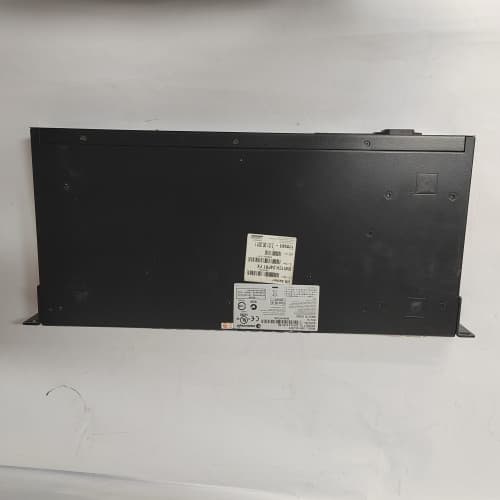
Description
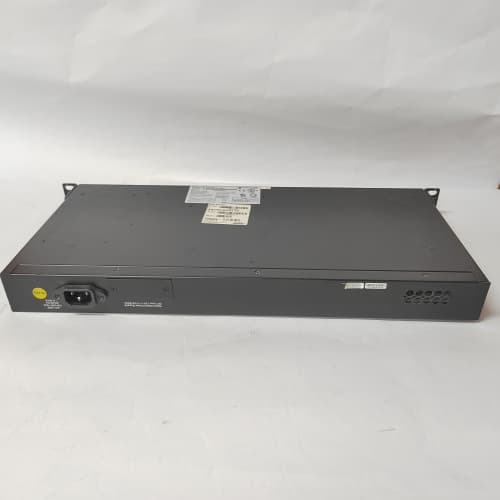
Product Parameters
| Parameter | Specification |
|---|---|
| Brand | Enterasys Networks (Extreme Networks) |
| Model | A2H124-24FX P0973BJ |
| Series | A2 series |
| Module Type | Fixed-configuration Fast Ethernet switch |
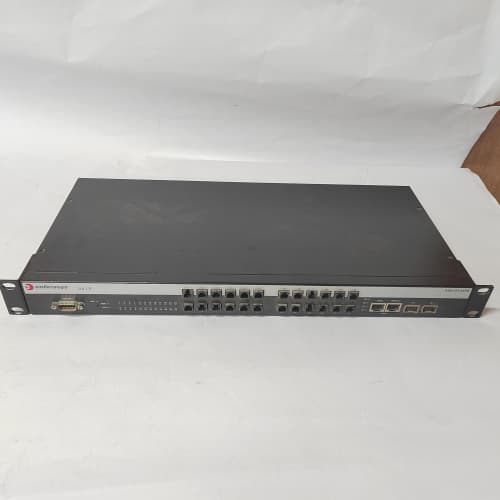
| Port Count | 24 Fast Ethernet fiber ports |
| Network Role | Access-layer switching |
| Mounting | Rack or cabinet installation |
| Operating Environment | Enterprise wiring closet / industrial network cabinet |
| Certification | Per Enterasys / industry standards |
Advantages and Features
-
Fiber connectivity: 24 Fast Ethernet fiber ports suit distance and isolation requirements.
-
Fixed-configuration simplicity: No module complexity for straightforward access-layer deployment.
-
Proven enterprise platform: Part of the established Enterasys A2 switch family.
-
Reliable continuous operation: Built for always-on network environments.
-
Rack-mount design: Fits standard network cabinet arrangements.
-
Legacy support value: Helps sustain existing Enterasys network infrastructure.
Application Cases and Fields
The A2H124-24FX P0973BJ is used in applications including:
-
Enterprise networks: Access-layer connectivity in office and campus buildings.
-
Industrial networks: Fiber-connected segments in plant and utility network cabinets.
-
Building automation: Network backbone for building systems requiring fiber links.
-
Utilities and transport: Network segments where electrical isolation is preferred.
-
Legacy network maintenance: Spare switch for existing Enterasys deployments.
Comparison with Competing Products
Compared with current-generation switches, the Enterasys A2H124-24FX P0973BJ offers continuity for existing Enterasys network designs, avoiding the reconfiguration effort of a platform migration. Competing modern switches provide higher throughput and updated management features, but may require redesign of VLAN, spanning tree, and management configurations. Where the existing network is standardized on Enterasys equipment, the A2H124-24FX P0973BJ minimizes disruption and preserves operational familiarity.
Selection Suggestions
-
Confirm the port type (fiber) and connector arrangement match your existing cabling.
-
Verify compatibility with your network management and VLAN configuration.
-
Review uplink requirements to higher-layer switches.
-
Consider stocking a spare A2H124-24FX P0973BJ where legacy Enterasys equipment remains in service.
-
Consult Enterasys/Extreme documentation for firmware and configuration details.
Precautions
-
Install only with power disconnected and follow network cabinet safety procedures.
-
Observe ESD precautions when handling the switch.
-
Verify firmware version compatibility with your network design.
-
Confirm fiber connector types and cleaning procedures before connection.
-
Note that vendor support lifecycle for legacy platforms should be verified before relying on long-term availability.


Reviews
There are no reviews yet.