
Description
Product Overview
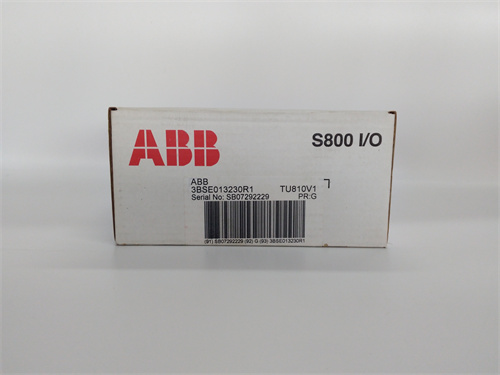
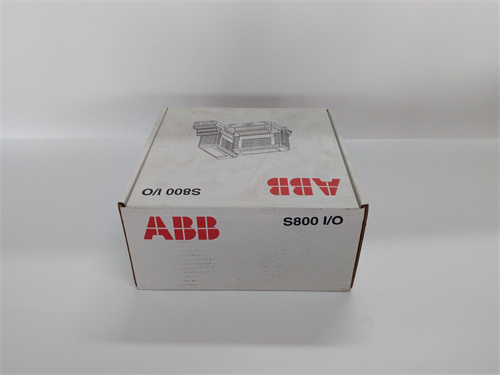
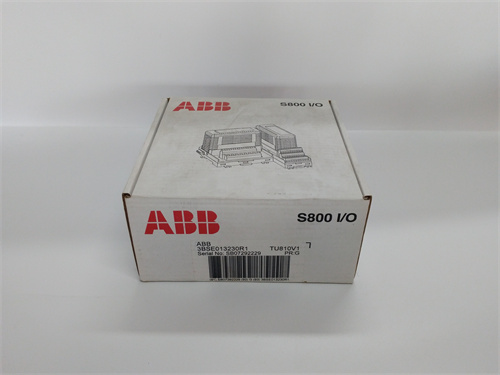
The ABB TU810V1 is a versatile and robust operator interface terminal, commonly known as a text display or operator panel, designed for straightforward machine-level interaction and data display. This unit provides a cost-effective and reliable human-machine interface (HMI) solution for basic operator control, monitoring, and parameter setting in industrial automation environments. The ABB TU810V1 typically features a backlit LCD screen capable of displaying multiple lines of text and symbols, along with a tactile membrane keypad for navigation and data entry. Its primary role is to serve as a local window into the PLC, allowing operators to view process values, acknowledge alarms, start/stop sequences, and adjust setpoints directly at the machine. The rugged design of the ABB TU810V1 makes it suitable for installation in panels and enclosures where space is limited and environmental conditions are challenging. For applications that do not require complex graphical visualization but need reliable operator feedback, the ABB TU810V1 offers a practical and durable solution.
Product Parameters and Specifications
-
Manufacturer: ABB
-
Product Type: Text-based Operator Interface Terminal (Text Display)
-
Display: Monochrome LCD screen, typically 4 or 8 lines with a certain number of characters per line (e.g., 20×4), equipped with a backlight for low-light conditions.
-
Keypad: Integrated membrane keypad with function keys (F1-Fx), navigation arrows, numeric keys, and dedicated control keys (e.g., ENTER, ESC).
-
Communication Interfaces: Features one or more serial communication ports (e.g., RS-232, RS-485) for connecting to a wide range of PLCs. Common supported protocols include Modbus RTU, ABB’s own protocol for specific drives/PLCs, and often other manufacturer protocols.
-
Memory: Internal memory for storing screens, messages, and recipes.
-
Power Supply: Typically operates on a standard 24V DC supply, common in industrial control panels.
-
Front Panel Rating: Usually meets IP65 or similar ingress protection rating, making it dust-tight and protected against low-pressure water jets, suitable for washdown or dusty environments.
-
Mounting: Designed for direct panel mounting with a gasket seal.
-
Programming Software: Configured using dedicated PC-based software (e.g., ABB’s Panel Builder or a specific tool for the TU series) to create screens, define keys, and map PLC addresses.
Advantages and Key Features
-
Simplicity and Ease of Use: The ABB TU810V1 is designed for clear, unambiguous interaction. Text-based menus and prompts are straightforward for operators to understand, reducing training time and the potential for errors.
-
High Durability and Reliability: With its membrane keypad and IP65-rated front, it is resistant to contaminants, moisture, and physical wear, ensuring long service life in harsh industrial settings where more complex touchscreens might be less suitable.
-
Cost-Effective HMI Solution: For basic monitoring and control tasks, it provides essential functionality at a fraction of the cost of a full graphical touch panel, making it an economical choice for simple machines or as a local auxiliary panel.
-
Wide PLC Compatibility: Through its support for standard serial protocols like Modbus RTU, the ABB TU810V1 can interface with not only ABB AC500 and other ABB controllers but also with PLCs from Siemens, Allen-Bradley, Mitsubishi, and many others, offering great flexibility.
-
Low Power Consumption and Compact Size: Its small footprint and low power demand make it easy to integrate into existing control panels without requiring significant redesign or larger power supplies.
Application Case Studies
-
Standalone Packaging Machine: On a carton erector and sealer, the ABB TU810V1 is used to display machine status (e.g., “Running,” “Jam Error at Station 3”), show production counts, and allow the operator to adjust sealing temperature or conveyor speed setpoints directly from the machine console.
-
Pump Control Skid in a Water Treatment Plant: Mounted on a local control panel for a chemical dosing skid, the display shows flow rate, tank level, and pump status. Operators use the keypad to manually start/stop pumps, acknowledge high-level alarms, and enter daily dose volume parameters.
-
Retrofit Project for Legacy Equipment: In a factory modernization project, an old relay-based machine is upgraded with a new micro-PLC. The ABB TU810V1 is added to provide a modern operator interface for basic controls and fault messaging, extending the machine’s life without the expense of a full graphical HMI and its associated programming.
Comparison with Competing Products
| Feature | ABB TU810V1 (Text Display) | Siemens KTP400 Basic (Basic HMI Panel) | Allen-Bradley PanelView 800 (Graphic Terminal) |
|---|---|---|---|
| Display Technology | Text-based LCD with fixed segments or simple dot matrix. | Color graphical TFT LCD with touchscreen. | Color graphical TFT LCD with touchscreen or keypad. |
| User Interaction | Via tactile membrane keys; navigation through text menus. | Primarily via touchscreen, with on-screen buttons and graphics. | Via touchscreen or physical keys, depending on model. |
| Visualization | Limited to text, numbers, and simple symbols/bargraphs. | Full graphical capabilities, including animated symbols, trends, and bitmaps. | Full graphical capabilities, similar to Siemens. |
| Complexity & Cost | Low complexity, very cost-effective. | Moderate complexity and cost. | Moderate to high complexity and cost. |
| Primary Use Case | Simple data display and entry on cost-sensitive or rugged applications. | Where graphical representation of the process (mimics, trends) adds value. | Where integration with the Rockwell PLC ecosystem is a priority. |
| Strength | Extreme ruggedness, simplicity, and low cost for basic tasks. | Good balance of graphical capability and cost for many applications. | Seamless integration and tag-based programming in Studio 5000 for Rockwell users. |
Selection Suggestions and Important Notes
-
Selection Suggestion:
-
Choose the ABB TU810V1 when the operator interaction requirements are strictly functional: viewing real-time values, acknowledging faults, and entering numerical parameters. It is ideal for applications where a graphical representation of the process is unnecessary.
-
It is an excellent choice for harsh environments (food & beverage, wastewater, foundries) where the sealed membrane keypad is more reliable than a touchscreen that can be compromised by grease, moisture, or operator gloves.
-
Select it for projects with severe budget constraints or for adding a local interface to a machine where the main HMI is a SCADA system located elsewhere.
-
-
Important Notes:
-
Protocol Verification: Before selection, absolutely confirm that the ABB TU810V1 supports the specific protocol and baud rate used by your target PLC. Not all protocol variants may be supported.
-
Screen Real Estate Limitation: Understand the limitations of a text display. Complex processes with many variables may require excessive menu diving, which can be inefficient for operators. Perform a task analysis first.
-
Programming Software Availability: Ensure you have access to the correct, often legacy, configuration software for the TU810V1. Driver compatibility with modern operating systems can be a challenge.
-
Wiring and Connectivity: Pay close attention to the pinout of the communication port (RS-232 vs. RS-485) and ensure the correct cable is used to connect to the PLC. Incorrect wiring is a common source of communication failure.
-
Spare Part Consideration: As a mature product, ensure long-term availability or consider purchasing a spare unit upfront for critical applications.
-
DASD104 ABB PLC
DASD146 ABB PLC
ABB 3ASC25H270 PLC
3ASC25H284 PLC
ABB DASD103 PLC
ABB 3ASC25H283 PLC
YPQ112A DCS



Reviews
There are no reviews yet.