
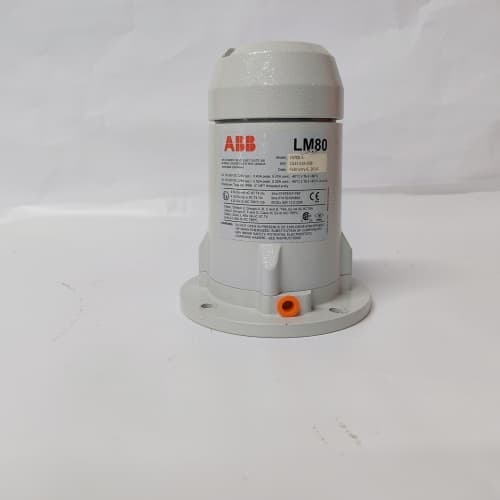
Description
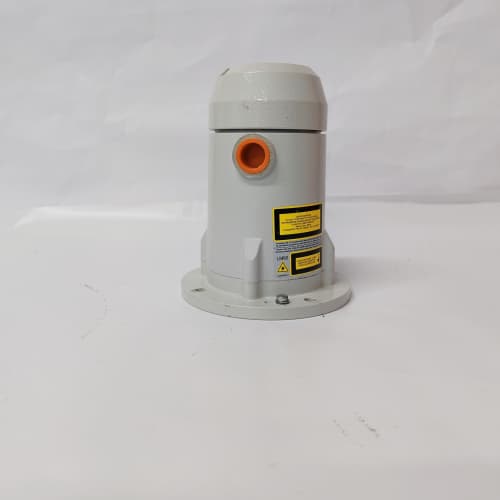
Product Parameters
| Parameter | Specification |
|---|---|
| Brand | ABB |
| Model | LM80.A |
| Module Type | Operator / control panel |
| Function | Local monitoring, parameter setting, and diagnostics |
| Display | Alphanumeric / graphical display |
| Interface | Keypad with navigation keys |
| Mounting | Cabinet-door or panel mounting |
| Compatibility | ABB drive platforms supporting LM80 series panels |
| Operating Environment | Industrial control cabinet conditions |
| Certification | CE / industrial EMC compliance |
Advantages and Features
-
Local control capability: Enables monitoring and parameter adjustment directly at the equipment.
-
Clear display: Alphanumeric/graphical display supports readable status and fault information.
-
Simple navigation: Keypad-driven menu structure reduces operator training requirements.
-
Diagnostic support: Fault and alarm display aids fast troubleshooting.
-
Panel mounting: Designed for practical cabinet-door installation.
-
Genuine ABB part: Ensures compatibility and consistent behavior with ABB drives.
Application Cases and Fields
The LM80.A is used in applications including:
-
Industrial drives: Local control and monitoring of ABB drive systems in production lines.
-
Process industries: Parameter access for pumps, fans, and compressors.
-
Power and utilities: Local interface for auxiliary drive systems.
-
Water treatment: Operator control at pump and blower drive installations.
-
OEM machinery: Local interface for custom equipment using ABB drives.
Comparison with Competing Products
Compared with third-party or generic operator panels, the genuine ABB LM80.A guarantees full compatibility with ABB drive firmware and menu structures, avoiding inconsistent parameter access or display behavior. Non-genuine alternatives may appear compatible but often lack verified firmware support and can complicate diagnostics. For ABB drive installations, the LM80.A offers the assurance of ABB engineering and documentation.
Selection Suggestions
-
Confirm the panel is compatible with your specific ABB drive model and firmware version.
-
Verify panel mounting dimensions and cabinet-door cutout requirements.
-
Consider whether a spare LM80.A is needed for critical installations to minimize downtime.
-
Consult ABB documentation for supported parameter sets and functions.
Precautions
-
Install or replace the panel only with power disconnected where required by procedure.
-
Observe ESD precautions when handling electronic components.
-
Follow ABB’s mounting and wiring guidelines for the panel interface cable.
-
Use only genuine ABB parts to preserve warranty and system reliability.
-
Verify panel communication after installation.




Reviews
There are no reviews yet.