
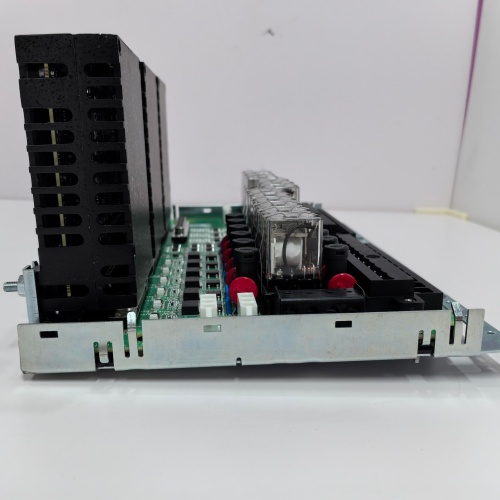
Description
Technical Specifications
| Parameter | Specification |
|---|---|
| Manufacturer | General Electric |
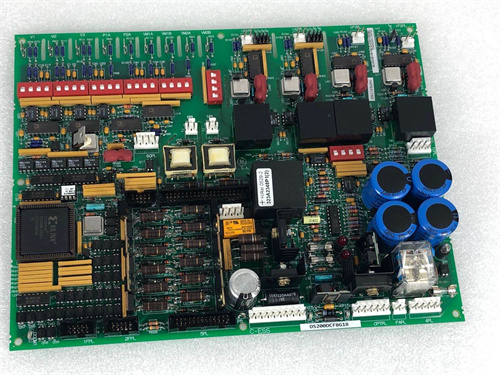
| Model | IS200ISBBG1AB |
| Serial Bus Interfaces | 2× configurable serial ports (RS-232 / RS-485) |
| Gateway Functions | Serial bus bridging, protocol conversion, data routing |
| Supported Protocols | Modbus RTU, GE serial protocols, ASCII, serial bridging protocols (variant-specific) |
| Communication Modes | Point-to-point, multi-drop, bridge modes |
| Power | +5V DC / 2.0A, ±15V DC / 0.4A |
| Temp Range | -30°C to +65°C |
| MTBF | > 108,000 hours |
| Suffix Meaning | “AB” = specific firmware/configuration for tailored bridging support |
Advantages and Key Features
Tailored Serial Bus Bridge Gateway: The IS200ISBBG1AB provides serial bus bridging with the “AB” firmware configured for specific bridging applications.
Optimized Protocol Handling: Improved protocol conversion for tailored applications.
Gateway Communication: The IS200ISBBG1AB integrates serial devices with control networks.
Pre-Configured Firmware: “AB” firmware reduces commissioning time.
Application Fields and Case Studies
Used in serial bus bridging applications with specific protocol requirements and gateway communication for tailored serial network integration. In a 600 MW plant, the IS200ISBBG1AB provided tailored bridging support.
Comparison with Competing Products
| Dimension | IS200ISBBG1AB | IS200ISBBG1AAB | IS200ISBBG1AAA |
|---|---|---|---|
| Primary Function | Serial bridge + gateway | Serial bridge + gateway | Serial bridge + gateway |
| Firmware Features | Tailored (AB) | Specialized (AAB) | Expanded (AAA) |
| Configuration | Specific applications | Specialized networks | Expanded protocols |
| VME Integration | Direct | Direct | Direct |
Selection Recommendations
Choose IS200ISBBG1AB when your serial bridging application requires tailored support for specific applications. Verify “AB” firmware matches your specific bridging and protocol requirements before commissioning.
Precautions and Important Notes
Use ESD-safe handling. Verify field wiring and serial connections. Confirm “AB” firmware supports your specific serial devices and bridging requirements. Never interrupt firmware updates. Board draws 2.0A – verify rack power capacity. Document all configurations. Store spares in anti-static packaging. Do not mix IS200ISBBG1AB with other variants in redundant pairs without verifying identical firmware. Allow 30 seconds boot time. Test all bridging and gateway functions during commissioning. Ensure serial cabling does not exceed maximum recommended length. The IS200ISBBG1AB is critical for serial bridge management – ensure all settings are verified before placing in service. Regular verification of serial communication and bridging performance is recommended. If replacing another variant, verify all configurations are compatible before installation.
A-B 1784-PCIC
FOXBORO P0916AA
YOKOGAWA AIP512
A-B 1769-OF8C

Reviews
There are no reviews yet.